NUC主机搭建Homelab
NUC主机搭建Homelab 前言
自托管gitea服务
安装gitea
sudo pacman -Sy gitea
sudo systemctl enable gitea.service
sudo systemctl status gitea.service
配置gitea
sudo vim /etc/gitea/app.ini
/run/gitea/gitea.socket就可以了。[server]
PROTOCOL = unix
SSH_DOMAIN = git.kali-team.cn
DOMAIN = git.kali-team.cn
HTTP_ADDR = /run/gitea/gitea.socket
ROOT_URL = http://git.kali-team.cn/
APP_DATA_PATH = /var/lib/gitea/data
DISABLE_SSH = false
SSH_PORT = 2222
LFS_START_SERVER = true
OFFLINE_MODE = true
nginx配置
sudo pacman -S nginx
sudo systemctl enable nginx.service
sudo systemctl start nginx.service
sudo vim /etc/nginx/nginx.conf
sudo openssl dhparam -out /etc/nginx/dhparam.pem 2048
server {
    listen              443 ssl;
    listen              [::]:443 ssl;
    server_name         git.kali-team.cn;

    # SSL
    ssl_stapling               on;
    ssl_stapling_verify        on;
    ssl_certificate     /etc/nginx/ssl/git.kali-team.cn.crt;
    ssl_certificate_key /etc/nginx/ssl/git.kali-team.cn.key;
    ssl_trusted_certificate /home/kali-team/.local/share/mkcert/rootCA.pem;

    # security
    include             nginxconfig.io/security.conf;

    # logging
    access_log          /var/log/nginx/access.log combined buffer=512k flush=1m;
    error_log           /var/log/nginx/error.log warn;

    # reverse proxy
    location / {
        proxy_pass            http://unix:/run/gitea/gitea.socket:/;
        proxy_set_header Host $host;
        include               nginxconfig.io/proxy.conf;
    }

    # additional config
    include nginxconfig.io/general.conf;
}

# subdomains redirect
server {
    listen              443 ssl;
    listen              [::]:443 ssl;
    server_name         *.git.kali-team.cn;

    # SSL
    ssl_certificate     /etc/nginx/ssl/git.kali-team.cn.crt;
    ssl_certificate_key /etc/nginx/ssl/git.kali-team.cn.key;
    # ssl_trusted_certificate /home/kali-team/.local/share/mkcert/rootCA.pem
    return              301 https://git.kali-team.cn$request_uri;
}

# HTTP redirect
server {
    listen      80;
    listen      [::]:80;
    server_name .git.kali-team.cn;
    return      301 https://git.kali-team.cn$request_uri;
}
自签名证书
sudo pacman -S mkcert nss
mkcert -install
mkcert -CAROOT
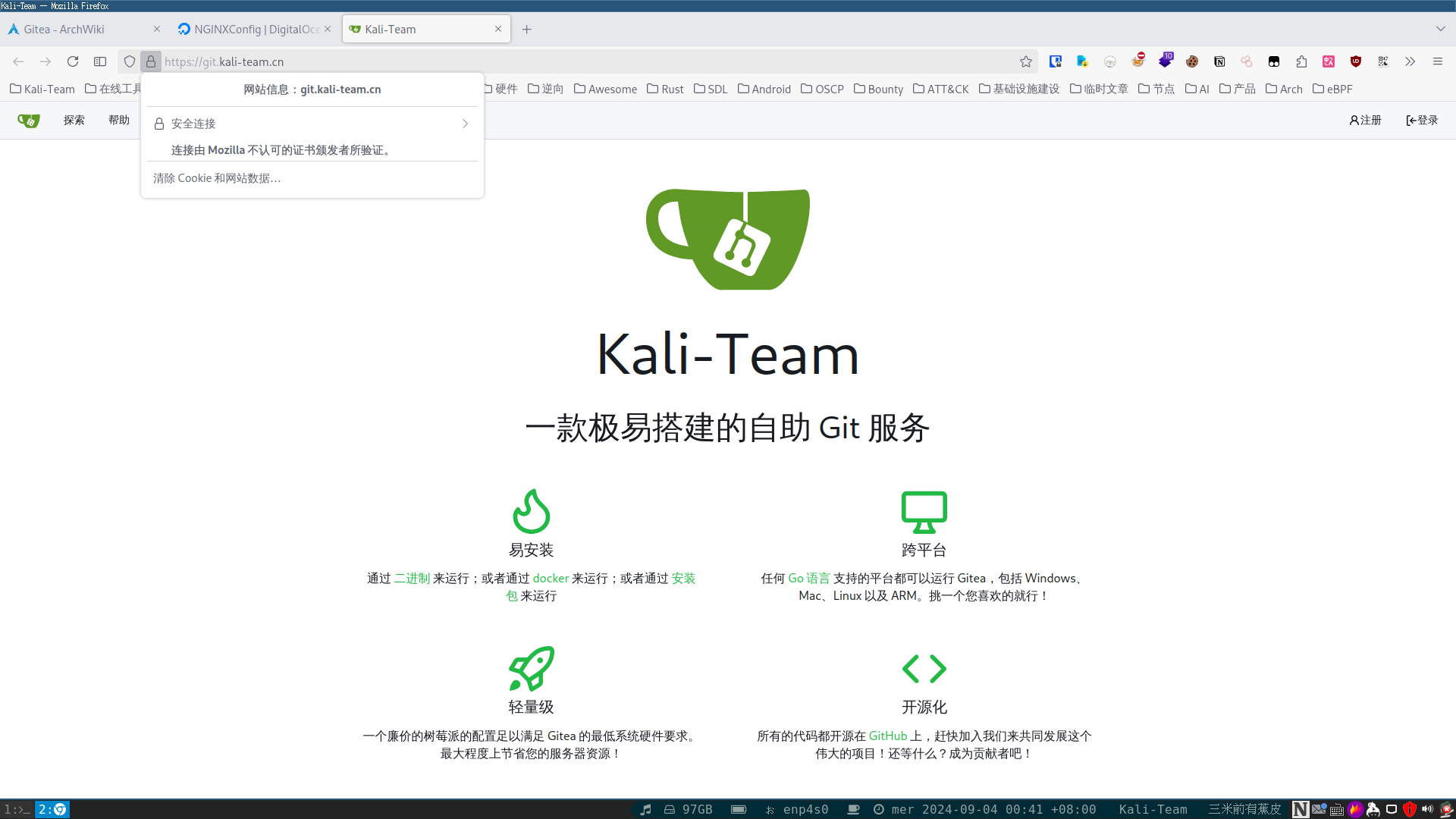
CAROOT文件夹有你生成的根证书,也就是上面nginx配置的ssl_trusted_certificate路径。@arch ➜ ~ mkcert -CAROOT
/home/kali-team/.local/share/mkcert
@arch ➜ ~ ls /home/kali-team/.local/share/mkcert
rootCA-key.pem rootCA.pem
@arch ➜ ~
mkcert -cert-file git.kali-team.cn.crt -key-file git.kali-team.cn.key git.kali-team.cn 127.0.0.1
sudo mv git.kali-team.cn.* /etc/nginx/ssl
Action Runner
[actions]
ENABLED = true
安装act runner
docker pull gitea/act_runner:latest
生成配置文件
docker run --entrypoint="" --rm -it gitea/act_runner:latest act_runner generate-config > config.yaml
# Example configuration file, it's safe to copy this as the default config file without any modification.

# You don't have to copy this file to your instance,
# just run `./act_runner generate-config > config.yaml` to generate a config file.

log:
  # The level of logging, can be trace, debug, info, warn, error, fatal
  level: info

runner:
  # Where to store the registration result.
  file: .runner
  # Execute how many tasks concurrently at the same time.
  capacity: 1
  # Extra environment variables to run jobs.
  envs:
   # 设置代理
    RUNNER_TOOL_CACHE: /toolcache
    #HTTP_PROXY: http://127.0.0.1:7890/
    #HTTPS_PROXY: http://127.0.0.1:7890/
    NO_PROXY: 127.0.0.1,localhost,172.17.0.1,192.168.222.11
  # Extra environment variables to run jobs from a file.
  # It will be ignored if it's empty or the file doesn't exist.
  env_file: .env
  # The timeout for a job to be finished.
  # Please note that the Gitea instance also has a timeout (3h by default) for the job.
  # So the job could be stopped by the Gitea instance if it's timeout is shorter than this.
  timeout: 3h
  # The timeout for the runner to wait for running jobs to finish when shutting down.
  # Any running jobs that haven't finished after this timeout will be cancelled.
  shutdown_timeout: 0s
  # Whether skip verifying the TLS certificate of the Gitea instance.
  insecure: false
  # The timeout for fetching the job from the Gitea instance.
  fetch_timeout: 5s
  # The interval for fetching the job from the Gitea instance.
  fetch_interval: 2s
  # The labels of a runner are used to determine which jobs the runner can run, and how to run them.
  # Like: "macos-arm64:host" or "ubuntu-latest:docker://gitea/runner-images:ubuntu-latest"
  # Find more images provided by Gitea at https://gitea.com/gitea/runner-images .
  # If it's empty when registering, it will ask for inputting labels.
  # If it's empty when execute `daemon`, will use labels in `.runner` file.
  labels:
    - "ubuntu-latest:docker://gitea/runner-images:ubuntu-latest"

cache:
  # Enable cache server to use actions/cache.
  enabled: true
  # The directory to store the cache data.
  # If it's empty, the cache data will be stored in $HOME/.cache/actcache.
  dir: ""
  # The host of the cache server.
  # It's not for the address to listen, but the address to connect from job containers.
  # So 0.0.0.0 is a bad choice, leave it empty to detect automatically.
  host: "172.17.0.1"
  # The port of the cache server.
  # 0 means to use a random available port.
  port: 8088
  # The external cache server URL. Valid only when enable is true.
  # If it's specified, act_runner will use this URL as the ACTIONS_CACHE_URL rather than start a server by itself.
  # The URL should generally end with "/".
  external_server: ""

container:
  # Specifies the network to which the container will connect.
  # Could be host, bridge or the name of a custom network.
  # If it's empty, act_runner will create a network automatically.
  network: ""
  # Whether to use privileged mode or not when launching task containers (privileged mode is required for Docker-in-Docker).
  privileged: false
  # And other options to be used when the container is started (eg, --add-host=my.gitea.url:host-gateway).
  options:
  # The parent directory of a job's working directory.
  # NOTE: There is no need to add the first '/' of the path as act_runner will add it automatically.
  # If the path starts with '/', the '/' will be trimmed.
  # For example, if the parent directory is /path/to/my/dir, workdir_parent should be path/to/my/dir
  # If it's empty, /workspace will be used.
  workdir_parent:
  # Volumes (including bind mounts) can be mounted to containers. Glob syntax is supported, see https://github.com/gobwas/glob
  # You can specify multiple volumes. If the sequence is empty, no volumes can be mounted.
  # For example, if you only allow containers to mount the `data` volume and all the json files in `/src`, you should change the config to:
  # valid_volumes:
  #   - data
  #   - /src/*.json
  # If you want to allow any volume, please use the following configuration:
  # valid_volumes:
  #   - '**'
  valid_volumes: []
  # overrides the docker client host with the specified one.
  # If it's empty, act_runner will find an available docker host automatically.
  # If it's "-", act_runner will find an available docker host automatically, but the docker host won't be mounted to the job containers and service containers.
  # If it's not empty or "-", the specified docker host will be used. An error will be returned if it doesn't work.
  docker_host: ""
  # Pull docker image(s) even if already present
  force_pull: false
  # Rebuild docker image(s) even if already present
  force_rebuild: false

host:
  # The parent directory of a job's working directory.
  # If it's empty, $HOME/.cache/act/ will be used.
  workdir_parent:
labels标签参数,开始不理解在docker环境这浪费了很多时间,这里的host宿主机其实就是你运行act_runner程序的环境,如果你的act_runner运行在物理机,使用host标签运行action就会在你的物理机上运行,这是非常不安全的,如果你的act_runner运行在docker,使用host标签action就会在当前的docker运行,没错就是gitea/act_runner这个docker,host后面不要接任何docker"ubuntu-latest:host://my-images:ubuntu-latest",这个是无效的,它根本就不会调用my-images:ubuntu-latestlabels,乖乖用官方的镜像或者自己在runner-images找,不然还要自己安装nodejs等等这些action运行环境container字段 runs-on: ubuntu-latest
container:
image: rust-base:dev
cache下面的172.17.0.1docker网络地址和8088端口参数,同时也设置了缓存文件夹docker-compose.yml文件保存启动参数version: "3"
services:
act-runner-rust:
image: gitea/act_runner:latest
environment:
- GITEA_INSTANCE_URL=你的Gitea服务器地址
- GITEA_RUNNER_REGISTRATION_TOKEN=你的Token
- GITEA_RUNNER_NAME=act_runner_rust
- CONFIG_FILE=/config.yaml
volumes:
- /var/run/docker.sock:/var/run/docker.sock
- ./act_data:/data
- ./act_cache:/root/.cache
- ./config.yaml:/config.yaml
ports:
- "8088:8088"
运行
docker compose up -d
参考