yew使用状态管理实现i18n
yew使用状态管理实现i18n 前言
功能设计
flowchart
    B(I18n) --> |初始化| C[(状态上下文)]
    C -->|订阅当前语言变化| D[组件]
    C -->|订阅当前语言变化| E[组件]
    C -->|订阅当前语言变化| F[组件]
---
title: I18n
---
classDiagram
    note "修改当前语言和翻译方法"
class I18n{
    +String current_lang
    +HashMap<String, HashMap<String, String>> translations
    +set_lang(lang)
    +t(text)
}
翻译字典类
#[derive(Debug, Clone, PartialEq, Eq, Deserialize, Serialize)]
pub struct I18n {
  // 原来文本:_语言:翻译
  // Home: zh: 主页
  pub translations: HashMap<String, HashMap<String, String>>,
  // 当前选择的语言
  current_lang: String,
}
Reducible,让这个结构可以使用dispatch调度修改当前的语言。impl Reducible for I18n {
type Action = String;
fn reduce(self: Rc<Self>, action: Self::Action) -> Rc<Self> {
let s = self.set_lang(action);
s.into()
}
}
Home:
  zh: 主页
	en: Home
i18n.json文件为用户定义的字典,为上面的yaml转换为json后加载后序列化得到。impl Default for I18n {
fn default() -> Self {
let storage = web_sys::window().unwrap().local_storage().unwrap().unwrap();
let default_lang = web_sys::window()
.unwrap()
.navigator()
.language()
.unwrap_or("en-US".to_string())
.split_once('-')
.unwrap_or(("en", "US"))
.0
.to_string();
let current_lang = storage
.get_item("lang")
.unwrap_or_default()
.unwrap_or(default_lang);
let translations: HashMap<String, HashMap<String, String>> =
serde_json::from_str(include_str!("../../i18n.json")).unwrap_or_default();
Self {
translations,
current_lang,
}
}
}
LocalStorage持久化保存,下次打开页面也能翻译到这个语言。impl I18n {
pub fn set_lang(&self, lang: String) -> Self {
let lang = lang.to_lowercase();
let mut i18n = self.clone();
let storage = web_sys::window().unwrap().local_storage().unwrap().unwrap();
storage.set_item("lang", &lang).unwrap();
i18n.current_lang = lang;
i18n
}
// 翻译函数,从字典里读取翻译文本,没有就返回默认的。
pub fn t(&self, text: &str) -> String {
if let Some(translation) = self.translations.get(text) {
return translation
.get(&self.current_lang)
.unwrap_or(&text.to_string())
.to_string();
}
text.to_string()
}
}
状态上下文
ContextProvider放在组件的顶层,这样下面的组件就可以通过use_context或者从ctx中context,获取顶层状态。pub type MessageContext = UseReducerHandle<I18n>;
// 在app上层创建,下面组件可以获取到上下文
#[derive(Debug, Clone, PartialEq, Properties)]
pub struct I18nProviderProp {
#[prop_or_default]
pub children: Html,
}
#[function_component]
pub fn MessageProvider(props: &I18nProviderProp) -> Html {
let msg = use_reducer(I18n::default);
html! {
<ContextProvider<MessageContext> context={msg}>
{props.children.clone()}
</ContextProvider<MessageContext>>
}
}
#[hook]
pub fn use_translation() -> MessageContext {
use_context::<MessageContext>().expect("No I18n context provided")
}
MessageContext放在想使用到翻译的组件顶层,这样Nav和Main下面的组件都可以用到这个状态上下文。impl Component for App {
type Message = ();
type Properties = ();
fn create(_ctx: &Context<Self>) -> Self {
Self
}
fn view(&self, _ctx: &Context<Self>) -> Html {
html! {
<div class="page">
<BrowserRouter>
<MessageProvider>
<Nav />
<Main />
</MessageProvider>
</BrowserRouter>
</div>
}
}
}
选择语言组件
use_translation的hook方便获取MessageContext,当选择语言时触发on_select_change使用dispatch修改状态上下文。
// 选择语言组件
#[function_component]
pub fn LangSelector() -> Html {
  let i18n = use_translation();
  let on_select_change = {
    let i18n = i18n.clone();
    move |e: MouseEvent| {
      let target: EventTarget = e.target().unwrap();
      let lang: String = target.clone().unchecked_into::<HtmlButtonElement>().value();
      i18n.dispatch(lang)
    }
  };
  html! {
    <div class="nav-item d-none d-md-flex me-3">
        <div class="dropdown">
          <button type="button" class="btn dropdown-toggle" data-bs-toggle="dropdown">
          <i class="ti ti-language"></i>{i18n.t("Lang")}
          </button>
          <div class="dropdown-menu">
          <li>
            <button onclick={on_select_change.clone()} type="button" class="dropdown-item" value="ZH">
              <span class="flag flag-sm flag-country-cn" style="pointer-events: none;"></span>{"简体中文"}
            </button>
          </li>
          <li>
            <button onclick={on_select_change.clone()} type="button" class="dropdown-item" value="EN">
              <span class="flag flag-sm flag-country-us" style="pointer-events: none;"></span>{"English"}
            </button>
          </li>
        </div>
      </div>
    </div>
  }
}
使用状态上下文
function_component,另一种是数据结构组件struct_component。#[function_component]
pub fn Home() -> Html {
let i18n = use_translation();
html! {
<div class="row row-deck row-cards">
<h3 class="h1">{i18n.t("Home")}</h3>
</div>
}
}
MessageContext和ContextHandle<MessageContext>,不然创建完了不保存变量的生命周期结束了,就用不到翻译的上下文,相当一次性翻译,也不能监听到语言的变化。pub enum Msg {
Lang(MessageContext),
}
pub struct CVEConfiguration {
i18n: MessageContext,
_context_listener: ContextHandle<MessageContext>,
}
impl Component for CVEConfiguration {
type Message = Msg;
type Properties = CVEConfigurationProps;
fn create(ctx: &Context<Self>) -> Self {
let (i18n, lang) = ctx
.link()
.context::<MessageContext>(ctx.link().callback(Msg::Lang))
.unwrap();
Self {
i18n,
_context_listener: lang,
}
}
fn update(&mut self, _ctx: &Context<Self>, msg: Self::Message) -> bool {
match msg {
Msg::Lang(i18n) => {
self.i18n = i18n;
true
}
}
}
fn view(&self, ctx: &Context<Self>) -> Html {
let configuration = ctx.props().props.clone();
html! {
<Accordion name={"Configurations"}>
<div class="table-responsive">
<table class="table table-vcenter card-table table-striped">
<thead>
<tr>
<th>{self.i18n.t("Operator")}</th>
<th>{self.i18n.t("Match")}</th>
</tr>
</thead>
<tbody>
{self.node(configuration)}
</tbody>
</table>
</div>
</Accordion>
}
}
}
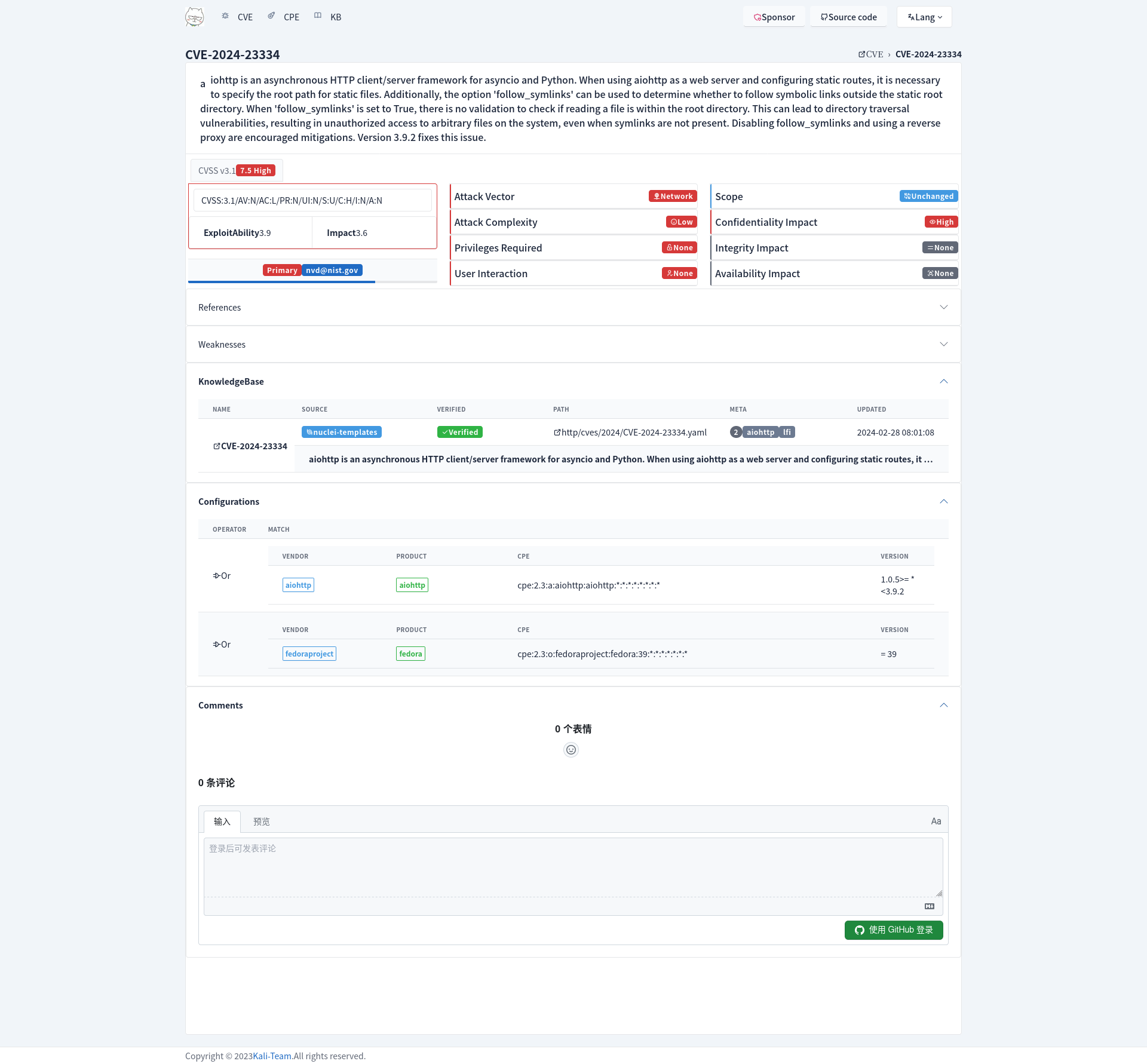
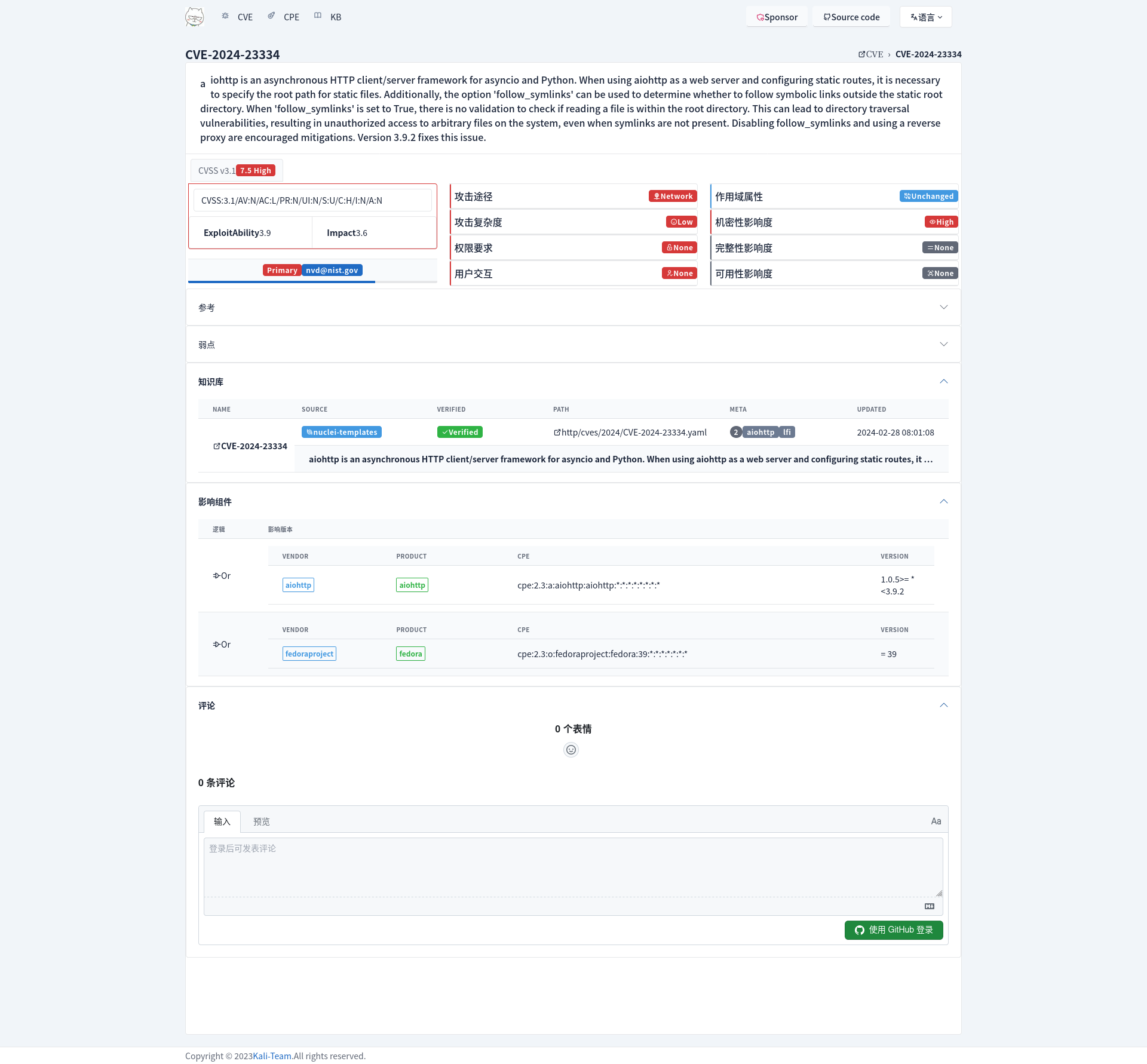
效果
参考