使用AutoHotKey编写转发知识星球邀请小程序
使用AutoHotKey编写转发知识星球邀请小程序 前言
安装AutoHotKey
编写代码
打开小程序
"C:\Program Files\Tencent\WeChat\WechatAppLauncher.exe" -launch_appid=wx4f706964b979122a
Run方法,后面接上启动命令Run "C:\Program Files\Tencent\WeChat\WechatAppLauncher.exe -launch_appid=wx4f706964b979122a"
查找小程序窗口
Run "notepad.exe"
if WinWaitActive("Untitled - Notepad", , 2)
    WinMinimize ; Use the window found by WinWaitActive.
else
    MsgBox "WinWaitActive timed out."
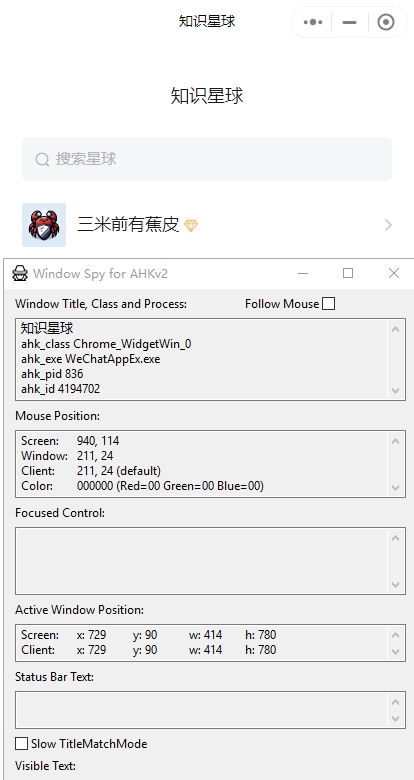
Untitled - Notepad的窗口,这个窗口标题该怎么找呢,官方自带了一个窗口查看器,有点类似微软的win32下面sdk中的window spy,名字也叫AutoHotkey Window Spy知识星球
ahk_class Chrome_WidgetWin_0
ahk_exe WeChatAppEx.exe
ahk_pid 836
ahk_id 4194702
Chrome_WidgetWin_0应该是全部小程序都是一样的,所以不使用它作为查找窗口的依据。if WinWaitActive("知识星球", , 5)
{
; 置顶小程序窗口
WinSetAlwaysOnTop 1, "知识星球"
...
}
else
MsgBox "WinWaitActive timed out."
Screen:	894, 536
Window:	165, 446
Client:	165, 446 (default)
Color:	F0F0F0 (Red=F0 Green=F0 Blue=F0)
模拟鼠标点击,键盘输入
if WinWaitActive("知识星球", , 5)
{
    ; 置顶小程序窗口
    WinSetAlwaysOnTop 1, "知识星球"
    Sleep 3000
    ; 点击知识星球的搜索框
    MouseClick "left", 150, 150
    Send Format("{1}{enter}", zsxq) ; 输入知识星球名称
    ; 点击我自己的知识星球,也就是三米前有蕉皮,我自己置顶了是第一个
    MouseClick "left", 40, 233
    Sleep 2000
    ; 点击邀请
    MouseClick "left", 365, 288
    Sleep 2000
    ; 点击邀请好友加入
    MouseClick "left", 192, 630
    Sleep 2000
    ; 点击群邀请
    MouseClick "left", 300, 720
    Sleep 2000
    ; 点击确定
    MouseClick "left", 200, 520
}
else
    MsgBox "WinWaitActive timed out."
; 等待选择群聊天框
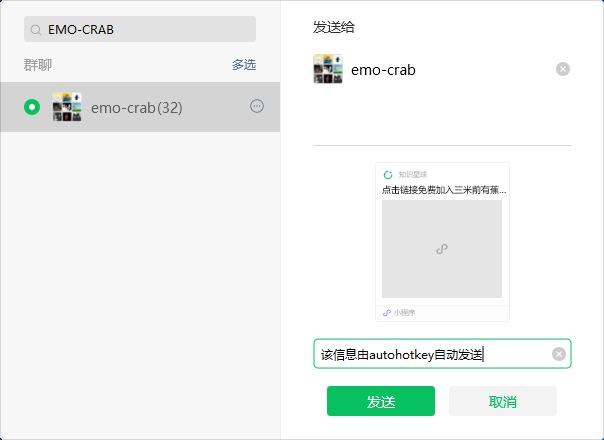
if WinWaitActive("ahk_class SelectContactWnd", , 3)
{
    ; 点击搜索框
    MouseClick "left", 60, 30
    ; 输入群名称
    Send Format("{1}{enter}", name) ; 输入群名称
    Sleep 1000
    ; 点击群名称
    MouseClick "left", 45, 110
    ; 点击留言
    Sleep 1000
    MouseClick "left", 350, 350
    Send "该信息由autohotkey自动发送{enter}" ; 输入知识星球名称
    Sleep 1000
    ; 点击发送,测试可以将下面这行注释掉
    ; MouseClick "left", 360, 400
}
else
    MsgBox "WinWaitActive timed out."
#Requires AutoHotkey v2.0
; 知识星球名称
zsxq := "三米前有蕉皮"
; 从环境变量中读取群名称
name := EnvGet("GROUP_NAME")
; 如果环境变量中没有群名称,弹出对话框让用户输入
if (name = "")
    name := InputBox("(群名称)", "Enter Name", "w120 h64 T30","EMO-CRAB").value
if WinExist("知识星球")
    WinClose ; Use the window found by WinExist.
else
    WinClose "知识星球"
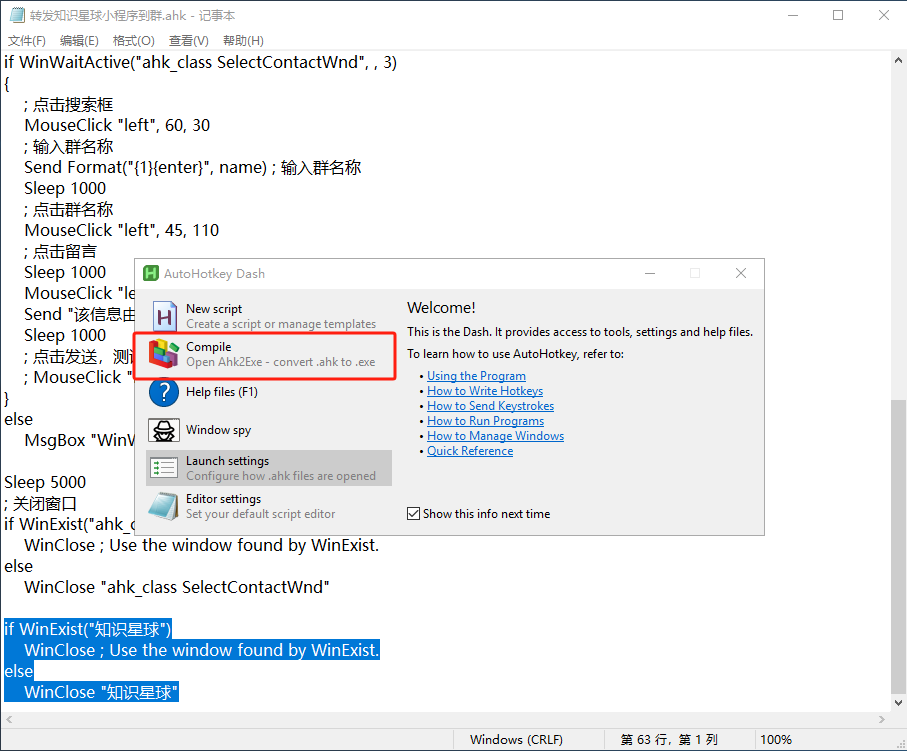
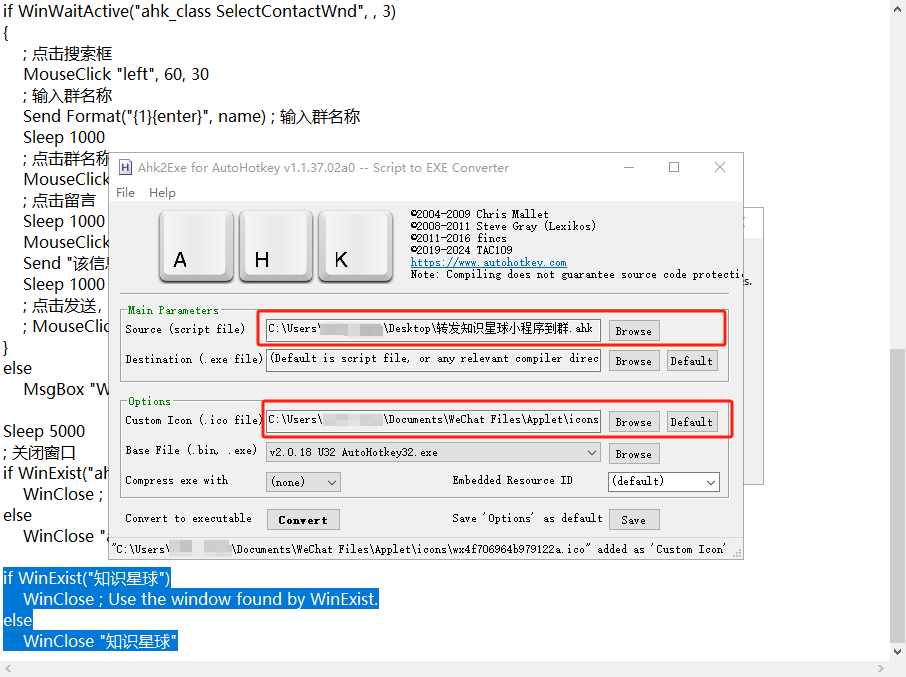
编译为exe文件
参考
附件